Blueprint Guides Hub
How-to walkthroughs for plots, roofs, water, lighting, permissions, and tools.
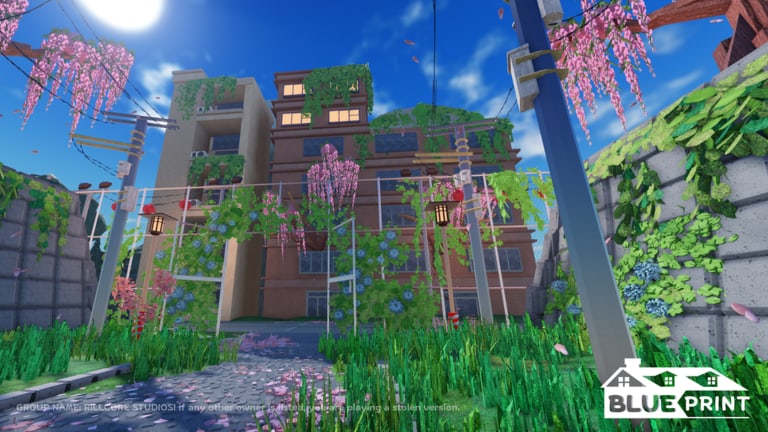
Welcome to the Blueprint guides hub. Blueprint is the free Roblox building sandbox from Riley (rillcore) and Rillcore Studios: a 1024×1024 plot, up to 15 floors, 900+ items, co-op building with friends, plot permissions, freecam, multi-select custom saves, roofs with per-side overhangs, skylights, swimable pools, basements, decals by asset ID, color palettes, and atmosphere lighting. There is no money system and no gamepasses. Paid lookalike experiences are scams—play only the official place, read Spot Fake Games, and treat Discord or group links that ask for Robux as red flags.
This hub is the map for every how-to on the wiki. Start with Getting Started if you just joined, then lock in Controls so build mode, Edge Scroll, and the B walk toggle feel natural. When you are ready to place structure, move to Building Basics, then specialize with Roofs and Floors, Pools and Basements, Furniture and Decals, Plot Permissions, and Lighting and Atmosphere.
Who these guides are for
Blueprint launched early on PC. Expect polish gaps—especially around roofs—and treat mobile as planned later, not a day-one guarantee. The guides assume you are on keyboard and mouse, building alone or with friends who share plot permissions. They do not invent codes, paid unlocks, or features that are not in the game. When a tool is still buggy (roof clipping is the classic example), we say so plainly so you can plan around it instead of blaming yourself.
Use this hub when you need a short path:
- New account or first plot session → Getting Started
- Keybinds, freecam, Edge Scroll, lighting UI → Controls
- Walls, floors, grid, multi-select saves → Building Basics
- Hollow gable, hip, flat, scillion roofs, skylights, 15 levels → Roofs and Floors
- Swimable water, depth, waves, creative rivers, basements → Pools and Basements
- Furniture sets, transform any item, paintings, palettes → Furniture and Decals
- Co-op allowlists, spawn points, object budget → Plot Permissions
- Realistic vs soft light, time of day, saved palettes → Lighting and Atmosphere
How Blueprint building fits together
A strong plot usually follows a loop: claim space and permissions, block out floors and walls, lock the roof silhouette, carve basements or pools where the story needs depth, then dress rooms with furniture, paint, and decals. Freecam and multi-select saves let you iterate without tearing the whole build down. Atmosphere lighting (realistic or soft) plus dark/light UI options help you judge materials under different moods before you commit a palette. Invite collaborators only after you read Plot Permissions.
Cross-link sibling pages while you work. Roof overhangs make more sense after you understand placement from Building Basics. Pool walls share basement tooling habits from Pools and Basements. Decal asset IDs feel less mysterious once Furniture and Decals walks through transform and color wheels. Lighting passes belong late in the loop—see Lighting and Atmosphere.
Early-access honesty
Because Blueprint is early on PC, tutorials here focus on durable systems—plot size, floor count, roof parameters, water settings, permissions—rather than temporary UI labels that may rename. If something fails (especially roofs), check the Discord at https://discord.gg/U8f3Tynr99 for patch notes from Riley, then return here for the step-by-step rebuild path. Leaderboards exist for community flexes; they do not gate tools.
Related hubs on this wiki
After the guides, browse Updates for patch context, Players for creator and community angles (including Spot Fake Games), and the Wiki overview if you need official links in one place. Keep internal links locale-agnostic with trailing slashes so every language version stays consistent.
Build slowly, save custom selections often, and treat your first 1024×1024 plot as a sandbox—not a finished museum. The pages below are written to get you from first join to confident multi-floor builds without fluff.
Frequently Asked Questions
Quick answers to the most common questions.
Where should a new Blueprint player start?
Open Getting Started for the day-one path, then Controls so you can leave build mode with B and use Edge Scroll confidently.
Does Blueprint cost Robux or use gamepasses?
No. Official Blueprint is free with no money system and no gamepasses. Paid clones that copy the name are scams—use the official Roblox place only.
Which guide covers roofs and known clipping issues?
Read Roofs and Floors for roof types, per-side overhangs, skylights, the clipping tool, and honest early-access caveats.
Can I build with friends on one plot?
Yes. Blueprint supports building with friends through plot permissions. Set collaborators carefully, then use multi-select custom saves so group edits are easy to reuse.
Is Blueprint on mobile yet?
Early release is focused on PC. Mobile is planned later. Expect keyboard/mouse workflows in these guides until mobile ships.