Furniture and Decals in Blueprint
Sets, transforms, asset ID art, color wheels, and saved palettes.
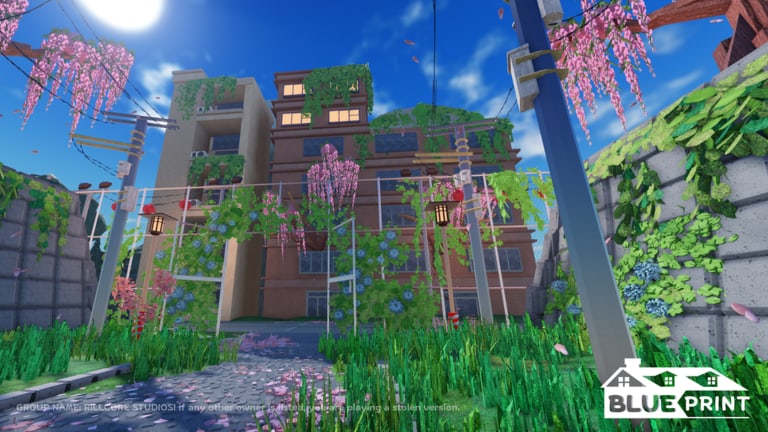
Furniture and decals turn a Blueprint shell into a place people want to walk. With 900+ items, transform controls on pieces, paintings and decals via asset ID, a color wheel, and saved palettes, you can dress interiors and exteriors without leaving the free sandbox. This guide assumes you already understand Controls and Building Basics. Keep structural context from Roofs and Floors and Pools and Basements, and revisit Getting Started if the plot workflow is still new.
Decorate after the shell is honest
Resist filling rooms while walls still drift off-grid. Furniture hides mistakes until freecam reveals crooked baseboards and colliding chairs. Sequence:
- Floors and walls locked
- Roof decision stable enough to trust ceiling heights
- Major openings tested in walk mode (B)
- Then furniture sets, transforms, paint, and decals
On a 1024×1024 plot, décor sprawl is real. Finish one hero room before scattering sofas across every wing.
Furniture sets and room roles
Think in sets tied to roles—not random catalogs:
- Living: seating + table + lighting language
- Sleeping: bed + storage + soft lighting
- Kitchen or cafe: counters + stools + display props
- Exterior: porch seating + planters that match roof overhang shade
- Basement: durable pieces that read under softer light
Pull a cohesive set into a room, then customize. Multi-select the finished arrangement into a custom save so you can stamp a matching guest room upstairs or across a co-op friend’s wing when plot permissions allow.
Transform any item
Blueprint’s transform tools let you adapt pieces instead of waiting for a perfect catalog twin. Use transforms to:
- Scale a prop for dollhouse shelves vs lobby sculpture energy
- Rotate seating into conversation clusters that match doorway flow
- Nudge height so lamps clear window sills under thick roofs
- Fit trim-like pieces along pool decks or stair landings
Transform responsibly. Extreme scales that look funny in freecam often break avatar circulation. After each bold transform, press B and walk the path a guest would take.
Color wheel and saved palettes
The color wheel is how materials stay intentional across a large build. Workflow:
- Pick a base palette for structure (walls, floors, roof)
- Save that palette so accents do not drift an hour later
- Choose a furniture accent palette that contrasts just enough
- Revisit both under realistic and soft atmosphere lighting
- Adjust for dark vs light UI comfort while painting fine details
Saved palettes prevent the classic sandbox failure mode: every room invents a new pink. Leaderboards may celebrate maximalism, but readable palettes photograph better and help collaborators match your intent.
Decals and paintings via asset ID
Decals and paintings let you hang custom art using a Roblox asset ID. That is perfect for:
- Logo walls in a cafe plot
- Poster bedrooms
- Gallery halls that change with community events
- Wayfinding signs across a sprawling 15-floor tower
Practical tips:
- Keep a note of asset IDs you trust so you are not hunting history mid-build
- Place the painting surface first, then apply the decal so transforms stay predictable
- Check readability at walk distance—not only in freecam zooms
- Match frame colors to your saved palette instead of defaulting to pure white every time
- Multi-select a framed decal kit once it looks right; reuse it down a hallway rhythm
The embedded decals update video mid-article shows the feature in context—watch for placement pacing, then recreate a small gallery wall on your own plot.
Exterior décor and landscape edges
Furniture is not only indoors. Porch sets, courtyard benches, and poolside loungers sell the roof and water work you already did. Align exterior seating with overhang shade lines from Roofs and Floors and with shallow pool shelves from Pools and Basements. Edge Scroll along facades while placing planters so spacing stays even across long walls.
Co-op décor etiquette
When friends share plot permissions:
- Agree on the saved structural and accent palettes first
- Store multi-select saves of hero rooms before anyone “improves” them
- Assign zones (you own the lobby, they own the loft) to avoid taste collisions
- Review together in freecam, then walk the social path through seating clusters
Remember: official Blueprint has no money system and no gamepasses. Fancy interiors come from taste and transforms, not paid unlocks. Ignore scam copies that sell décor packs.
Room finishing checklist
A room is ready to show when:
- Circulation works in walk mode
- Seating faces something intentional (view, hearth fiction, window, pool)
- Palette matches saved swatches under both lighting moods
- At least one decal or painting anchors the wall story (if the room needs art)
- The arrangement is stored as a custom save
- Dark/light UI did not trick you into miscolored accents
Practice project: gallery lounge
- Take a clean rectangular room from your shell.
- Place a seating set oriented toward one long wall.
- Transform a side table cluster for asymmetry.
- Apply two paintings via asset ID with matching frames.
- Save a palette and recolor cushions to fit.
- Toggle realistic/soft lighting and fix anything that muddies.
- Multi-select the whole lounge and stamp a smaller version upstairs.
When décor feels controlled, revisit roofs or water for the next spectacle pass, or browse the full Guides Hub for the next skill gap. Blueprint’s catalog is deep—your job is curation, not emptying every shelf onto the plot.
Frequently Asked Questions
Quick answers to the most common questions.
Can I recolor furniture in Blueprint?
Yes. Use the color wheel and saved palettes so rooms stay consistent, then verify colors under both realistic and soft atmosphere lighting.
How do decals and paintings work?
Apply decals and paintings with a Roblox asset ID onto placed surfaces, then check readability at walk distance and reuse strong setups via multi-select saves.
What does transform any item mean?
Transform tools let you adapt scale, rotation, and placement so catalog pieces fit your room—always rewalk the space after bold changes.
Should I decorate before finishing the roof?
Prefer a stable shell and trustworthy ceiling heights first. Furniture can wait; fixing structure under a finished interior wastes time.
Do I need gamepasses for furniture packs?
No. Official Blueprint is free with no money system and no gamepasses. Paid lookalikes that sell unlocks are scams.